
Screen mirroring isn’t the most popular thing people do with their devices. However, there are plenty of niche use cases for such a technology. Some people like it for streaming. Others use it for technical support. Whatever the reason, we hope we can help you achieve it. Here are the best screen mirroring apps for Android and other ways too!
Here are some more Android tools you might find helpful!
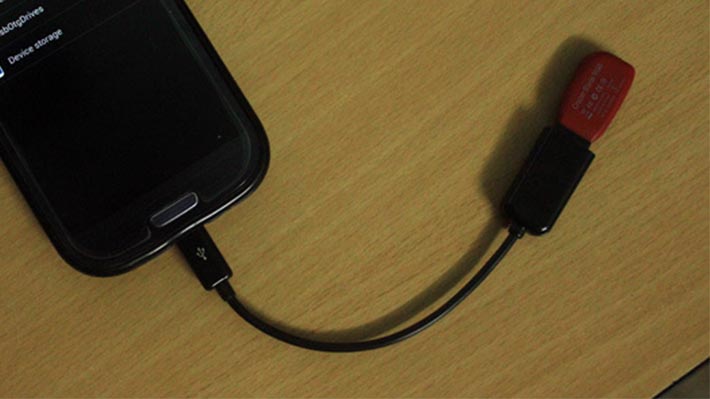 5 best Android apps to transfer files from Android to PC and other ways too!
One of the more common things people need to do is transfer files from their mobile device or tablet to their desktop. Sometimes it's a photo, sometimes it's a song, and many other times it's …
 5 best Android apps for screen recording and other ways too!
One of our more frequent requests from readers is to tell them how to record your screen on Android. The functionality has been around for quite some time but usually requires some tinkering and adjustment …
 Chrome Remote DesktopPrice: FreeDOWNLOAD ON GOOGLE PLAYChrome Remote Desktop is one of the more popular screen mirroring apps. It doesn't let you mirror your phone screen on a computer. In fact, it does exactly the opposite. The app lets you look at your computer desktop on your mobile device. It works best with tablets. However, it's perfectly usable on a phone. It should also work on any computer with Google Chrome browser support. The app is also free with no in-app purchases.DOWNLOAD ON GOOGLE PLAY
 Google HomePrice: FreeDOWNLOAD ON GOOGLE PLAYGoogle Home is the app for Google Home, Chromecast, and other Google devices. You can directly cast your screen from your device to your TV with this app and a Chromecast. It actually works impressively well. However, most of the use cases, like streaming video, are better done on the Chromecast rather than screen mirroring. Still, if you need your phone screen on a TV, this is a great way to do it. You have to purchase a Chromecast. However, the app is free.DOWNLOAD ON GOOGLE PLAY
 Microsoft Remote DesktopPrice: FreeDOWNLOAD ON GOOGLE PLAYMicrosoft Remote Desktop is a lot like Chrome Remote Desktop. In fact, it does basically the same thing. It shows you your desktop computer. The app supports Windows Professional and Server editions. In addition, it works well for video and sound streaming should the need occur. It's completely free with no in-app purchases or advertisements. Those running Windows should probably use this one. Otherwise, default to Chrome Remote Desktop for other operating systems.DOWNLOAD ON GOOGLE PLAY
 TeamViewerPrice: Free (for individual use)DOWNLOAD ON GOOGLE PLAYTeamViewer is one of the most popular screen mirroring apps. This one is mainly for diagnostic purposes. You can look at desktops or other mobile devices if needed. It supports HD video and sound transmission, 256-bit AES encryption, and file transfers from both devices. It also supports Mac, Windows, and Linux natively. That's great news. The app is free to use for individual use. Those running businesses have various payment options. DOWNLOAD ON GOOGLE PLAY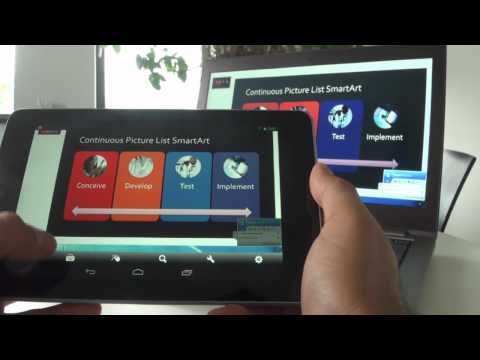
 Native smartphone and smart TV mirroringPrice: FreeDOWNLOAD ON GOOGLE PLAYMany smart TVs and smartphones can screen mirror things natively. For instance, many Android devices can cast the screen to virtually anything that has Miracast or Chromecast support. As long as your smart TV or smart dongle or whatever can do it, you can screen mirror without downloading an extra app. It's fastest, most efficient way to do screen mirroring as long as you have the proper equipment already in your home or area. It's worth looking into!DOWNLOAD ON GOOGLE PLAY
Take a break from the scrolling to check out these excellent app lists!
 15 best Android apps of 2017
Here it is ladies and gentlemen. The crème de la crème. The Android apps that stand alone at the top of the pantheon. These apps have become ubiquitous with Android and if you're looking for …
 10 best productivity apps for Android
The reason smartphones exist is so we can be more productive. They're like tiny super computers that we keep in our pocket. They connect to the web, let us do work, and we always have …

Hardware devices like Chromecast or Kindle Fire sticks
Many of today’s TV streaming dongles have native screen mirroring support. A few of the options include Amazon’s Fire TV and Google’s Chromecast. There are some limitations to each platform. However, they do tend to work rather well. Those who own a Chromecast can just pop open the app, open the menu, and the cast screen option should be there until they re-design the app.
Fire TV is a little more complicated. You use your device’s native screen mirroring feature (on Android 4.2 or higher) to connect to Fire TV. This is similar to how it works on compatible smart TVs. Kindle Fire devices can mirror to Fire TV much more easily.
It takes a little bit of searching around because the options are very numerous. Some TVs can do it and some TVs cannot. Any Android device over Android 4.2 can initiate screen mirroring with a supported TV or streaming stick. Most smart TVs and streaming sticks will work for this. It takes a little tinkering in your menu system, but it does work pretty well once you get it going.
HDMI-out
The best and easiest way to screen mirror is to use a cable. Unfortunately, this tech is getting harder and harder to find. Most Samsung and LG device still have it. Outside of those companies, it gets a little hit or miss. Despite being a pioneer for USB Type-C and its native HDMI capabilities, Google Nexus and Pixel devices don’t have HDMI-out. It’s annoying. However, it’s usually pretty easy to figure out if devices have HDMI-out support via a quick Google Search.
After that, you just have to get the right cable. Samsung devices usually use MHL while LG usually uses Slimport. Most other devices that support HDMI-out use one of the two of those protocols. HDMI-out has the advantage of being rock solid. You can use it offline, there is no worry about weird connection problems unless the cable breaks, and more. The cables can cost a pretty penny, but they usually last a while. With the right screen recording devices, you can even mirror to your computer very easily. This option definitely costs the most money, but it works really well.
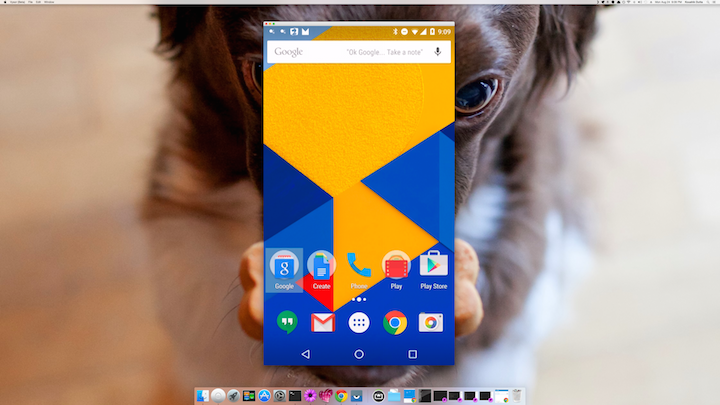
Vysor and other Chrome extensions
Koush’s Vysor and similar Chrome extensions work pretty well. They allow you to mirror your device screen to your computer using Google Chrome. These methods generally work good enough for most use cases. Most of the extensions have instructions for use. Usually it doesn’t require a cable. At worst, it requires your usual charging cable. Thus, you usually don’t have to make any additional purchases.
You can download Vysor by clicking here (on your computer). The app is available in Google Play. We would’ve included this one in the list above, but the main part of the process is on your PC as opposed to your device. There are other extension options as well. Play with a few and find the one that works with you.
Thank you for reading! Here are some final app list recommendations for you!
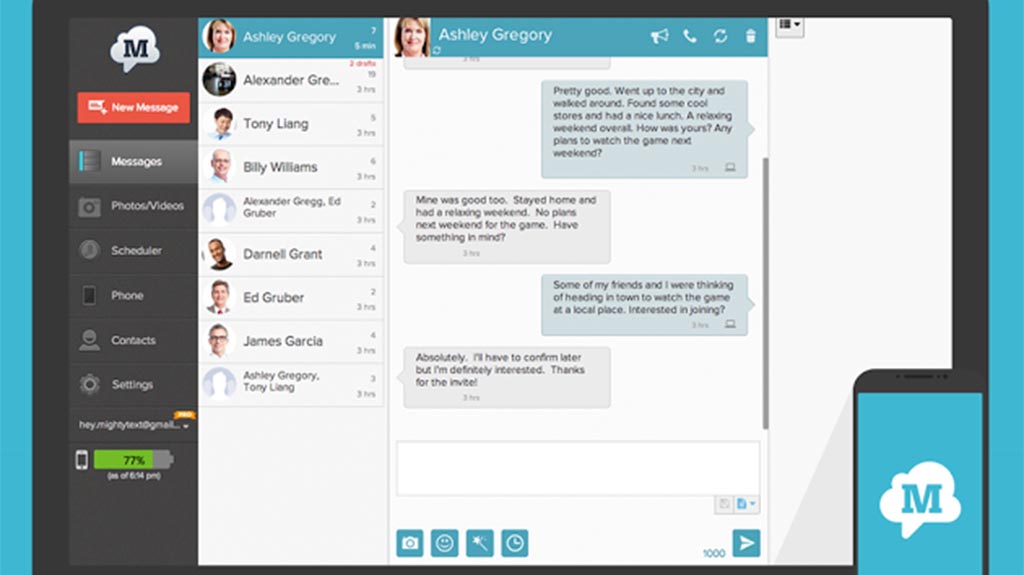 10 apps to send text and SMS from your PC (and other ways too!)
SMS and texting have come a long way in recent years. It wasn't long ago that you had to pick up your phone in order to send a text or SMS to your friends. Now …
 10 best Android tools and utility apps
Smartphones are, at their core, tools. Because of this, many developers have created tons of tools for them that work really well. Android is an extremely vibrant ecosystem and you can do almost whatever you …
If we missed any screen mirroring apps and other methods, tell us about it in the comments! You can also click here to check out our latest Android app and game lists!
5 best screen mirroring apps for Android and other ways too!

No comments:
Post a Comment